Sandbox your AI agents.
Solo or as a team.

Klangk gives every AI agent its own isolated container — whether you're working alone or collaborating with a team. Shared terminals, chat, file management, and a plugin system are all built in.
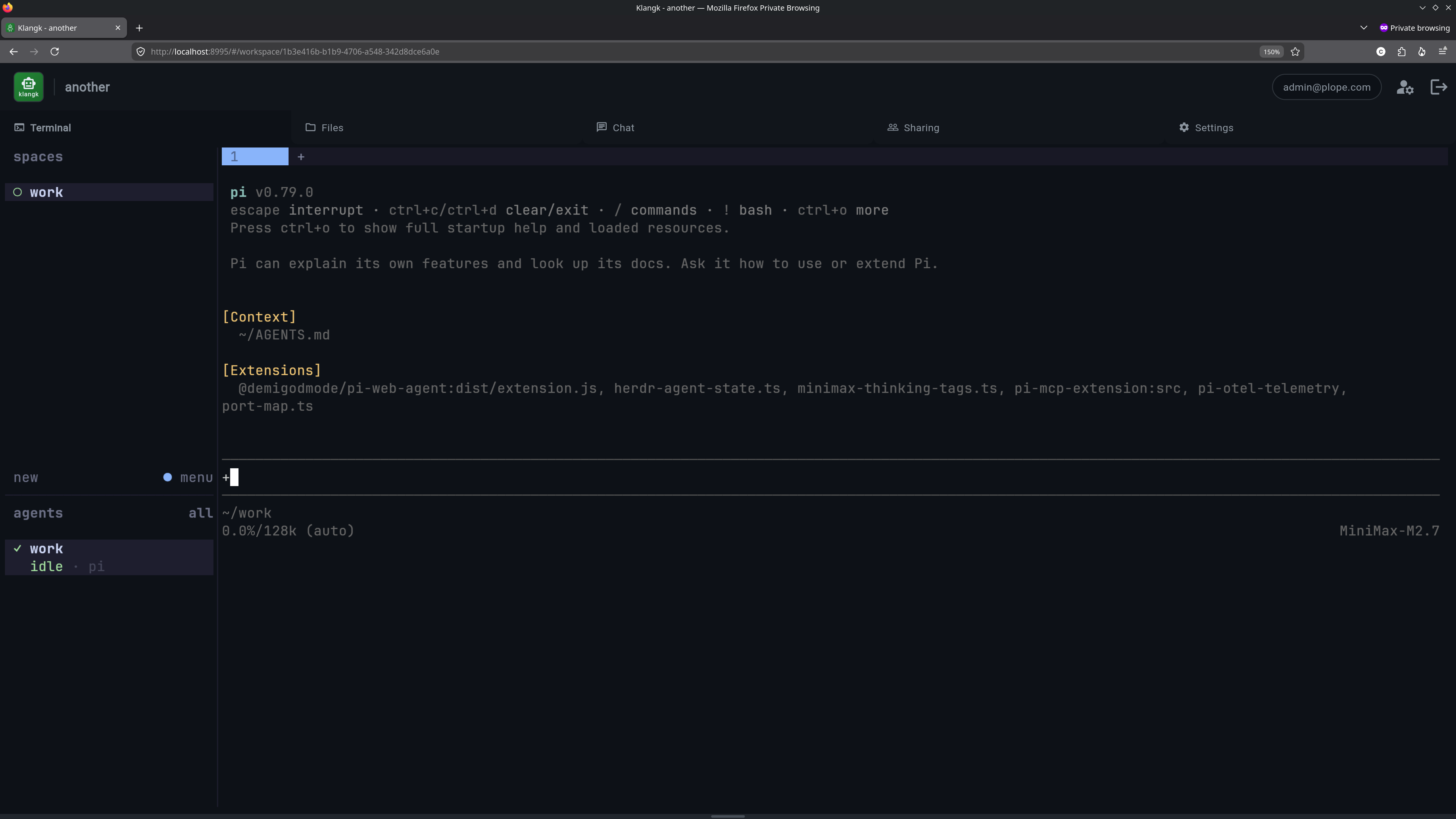

Klangk workspace showing terminal with Pi agent, chat panel, and file browser

Everything you need to run AI agents safely

Each workspace is its own container with its own filesystem, terminals, and network — fully isolated from your host.

👤 Start Solo
📦

Sandboxed Workspaces

Every workspace is an isolated container. Mount source code, run agents, tear it down when done. Bring your own images and toolchains.

🧠

AI Agent Integration

Run Pi, Claude Code, or any coding harness inside containers with full terminal access. Works with any OpenAI-compatible LLM provider.

📁

File Management

Browse, preview, upload, and download files. Syntax-highlighted code editing, PDF viewing, image previews, and drag-and-drop uploads.

👥 Invite your Team
🖥️

Shared Terminals

Pair-program through shared tmux sessions. Multiple users can view and interact with the same terminal in real time.

💬

Built-in Chat

Chat alongside your AI agent with @mentions, workspace-scoped conversations, and real-time message streaming.

🔒

Access Control

Per-user roles, group-based permissions, and workspace-level access control. Invite teammates and manage who can see and do what.

🔌 For Everyone
🔌

Plugin System

Extend Klangk with plugins that add new UI overlays, Pi extensions, and tools. Plugins are self-contained and easy to install.

Built for developers who use AI

👤 Solo Developers

AI agents like Pi and Claude Code are powerful but intentionally given wide permissions. Klangk keeps them safely isolated.

  • Agents can't touch your host filesystem
  • Experiment freely and dispose when done
  • Run untrusted code without risk

👥 Teams

Add multi-user collaboration on top of sandboxing. Share workspaces, pair-program, and chat alongside your AI agent.

  • Per-user roles and access control
  • Shared terminals for pair programming
  • Group-based workspace permissions

Sponsors

Klangk's development is sponsored by